rsync: link_stat "…" failed: No such file or directory
https://github.com/CocoaPods/CocoaPods/issues/11808#issuecomment-1480802886
で共有された回避方法に従って、生成されているすべての …-frameworks.sh において -f フラグを readlink に追加してみたところビルドできた。
rsync: link_stat "…" failed: No such file or directory
https://github.com/CocoaPods/CocoaPods/issues/11808#issuecomment-1480802886
で共有された回避方法に従って、生成されているすべての …-frameworks.sh において -f フラグを readlink に追加してみたところビルドできた。
ボタンの左にUIBarButtonItemFlexibleSpace(左右外向き矢印)を追加する
以下のページに詳しく説明してあるので、その通りにやれば問題ないはず。
About Location Services and Maps
https://developer.apple.com/library/ios/documentation/UserExperience/Conceptual/LocationAwarenessPG/Introduction/Introduction.html
Getting the User’s Location
https://developer.apple.com/library/ios/documentation/UserExperience/Conceptual/LocationAwarenessPG/CoreLocation/CoreLocation.html#//apple_ref/doc/uid/TP40009497-CH2-SW1
MapKit.Framework はMapKitViewを追加したら勝手に追加されてた気がしますが、またはProject>Capabilitiesからも追加できます。
CoreLocation.Framework はProject>Build Phases から追加
ただし、現在位置に移動しようとしたら以下のエラーがでるかもしれません。
Trying to start MapKit location updates without prompting for location authorization. Must call -[CLLocationManager requestWhenInUseAuthorization] or -[CLLocationManager requestAlwaysAuthorization] first.
そのときは Info.plist に以下のエントリを追加します。
<key>NSLocationAlwaysUsageDescription</key>
<string>Please allow this app to access your location.</string>
<key>NSLocationWhenInUseUsageDescription</key>
<string>Please allow this app to access your location.</string>
ALAssetsLibrary の writeImageToSavedPhotosAlbum メソッドを使います。
ALAssetsLibrary *library = [[ALAssetsLibrary alloc] init];
UIImage* img = self.imageView.image;
[library writeImageToSavedPhotosAlbum:img.CGImage orientation:ALAssetOrientationUp completionBlock:^(NSURL *assetURL, NSError *error) {
    if (error) {
        //エラー処理
    }
}];
UIApplication.applicationDidEnterBackground で beginBackgroundTaskWithExpirationHandler を呼び出すようにとの資料があったが
beginBackgroundTaskWithExpirationHandler は”You should not use this method simply to keep your application running after it moves to the background.”と書いてあるので、これを使ってはいけない気がするが。。。では、どうしたらいいのだろう’?
しかし、とりあえず beginBackgroundTaskWithExpirationHandler を呼び出す方法を使ってみたところ、エミュレータではちゃんとバックグランドで動いたし、別に問題ないように見える。
1.xlbファイルにPickerViewを追加
2.UIPickerViewDelegateとUIPickerViewDataSourceを実装、xlbファイルのFileOwnerであるViewControllerに実装しても可。
3.xlb上で、PickerViewのDataSourceとDelegateに関連づける
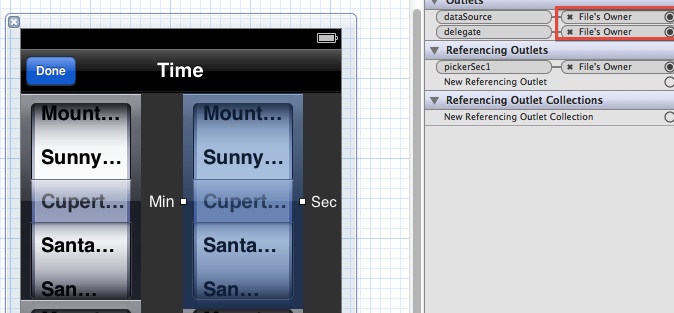
datasourceとdelegateの設定
4.ViewControllerにPickerViewのOutletを追加。初期値の設定や選択された値の取得はこのOutletで行う。
SingleView でプロジェクトを作成 xlbを開き、既存のViewの上にラベルやボタンなどのコントロールと、CustomView用のUIViewを乗っける。
新規にUIViewを継承するクラスを作成し、さっき追加したCustomView用のObjectに関連づける。
作成したクラスの drawRect に描画のコードを追加。UIBezierPathを使って円弧を塗りつぶす。
ここで、1つひっかかってしまったのは、Pathに弧の部分だけを描いても思ったように塗りつぶせないこと。AndroidのCanvas.drawArcメソッドのuseCenterパラメータがfalseと同じ状態になり、弧の始点と終点を直線で結んだ内部だけが塗りつぶされる。円の中心も含めるには、Pathに明示的に円の中心までの直線を追加する必要がある。なお、塗りつぶし(fill)の場合は、Pathの始点と終点が自動的に直線で結ばれる(closeされる)が、線を描く(stroke)場合は、明示的に始点と終点を結ぶ線を追加するか、あるいはclosePathメソッドを呼び出さないと、開放されたPathのままで描かれる。
円弧を塗りつぶすコード例
    //draw filled arc for tic
    UIBezierPath *pathTic1 = [UIBezierPath bezierPathWithArcCenter:c radius:r startAngle:st1 endAngle:en1 clockwise:true];
    //Close the path.
    [pathTic1 addLineToPoint:c];

    // Set the render colors
    [[UIColor redColor] setFill];

    // Fill the path
    [pathTic1 fill];
Picasaを使う(iPhone)でPicasaWebAlbumのAPIでアルバム一覧を取得するところまでやったので、今回は画像のプレビューまで実装してみた。(ソース)
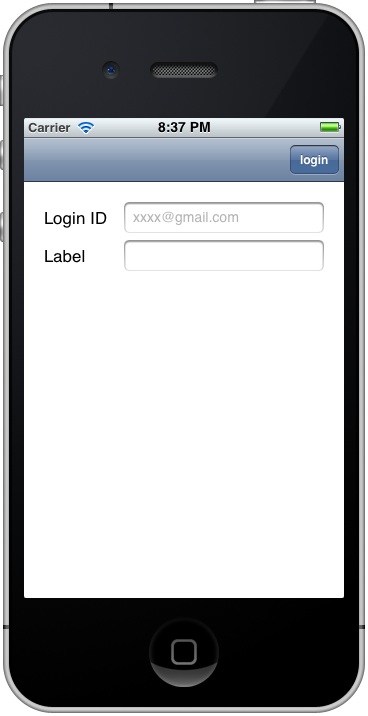
Login画面(iPhone)
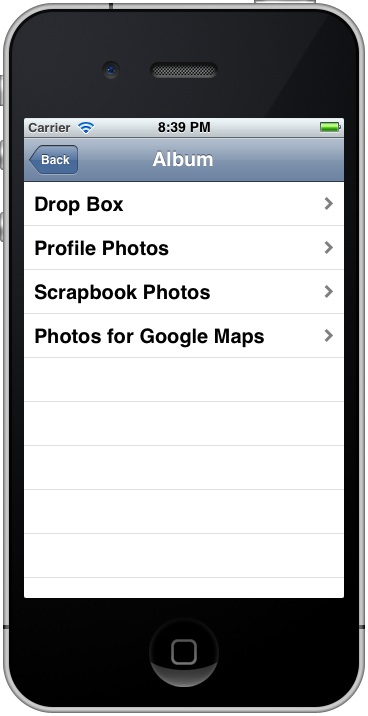
Album一覧(iPhone)

写真一覧(iPhone)
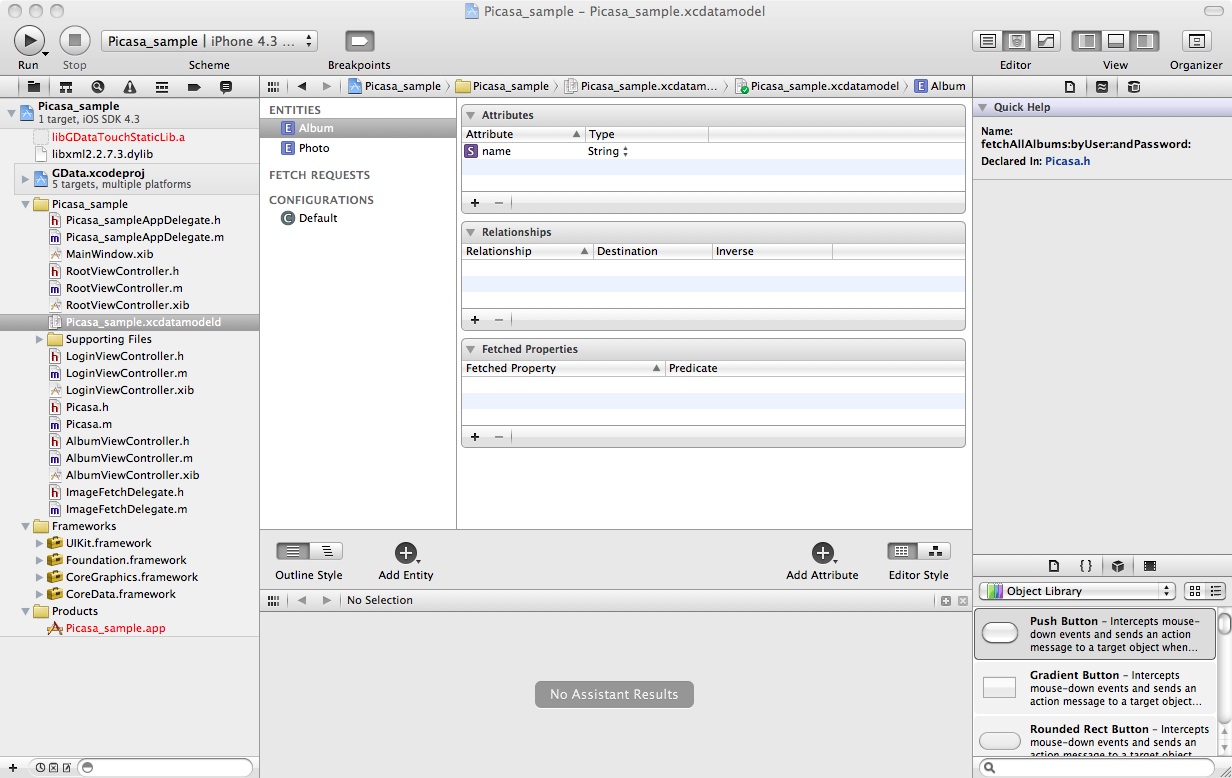
xcdatamodelにデータモデルを定義
- (NSFetchedResultsController *)fetchedResultsController
{
    if (__fetchedResultsController != nil)
    {
        return __fetchedResultsController;
    }

    /*
     Set up the fetched results controller.
    */
    // Create the fetch request for the entity.
    NSFetchRequest *fetchRequest = [[NSFetchRequest alloc] init];
    // Edit the entity name as appropriate.(*defined in xcdatamodel)
    NSEntityDescription *entity = [NSEntityDescription entityForName:@"Album" inManagedObjectContext:self.managedObjectContext];
    [fetchRequest setEntity:entity];

    // Set the batch size to a suitable number.
    [fetchRequest setFetchBatchSize:20];

    // Edit the sort key as appropriate.(*defined in xcdatamodel)
    NSSortDescriptor *sortDescriptor = [[NSSortDescriptor alloc] initWithKey:@"name" ascending:NO];
    NSArray *sortDescriptors = [[NSArray alloc] initWithObjects:sortDescriptor, nil];

    [fetchRequest setSortDescriptors:sortDescriptors];

    // Edit the section name key path and cache name if appropriate.
    // nil for section name key path means "no sections".
    NSFetchedResultsController *aFetchedResultsController = [[NSFetchedResultsController alloc] initWithFetchRequest:fetchRequest managedObjectContext:self.managedObjectContext sectionNameKeyPath:nil cacheName:@"Root"];
    aFetchedResultsController.delegate = self;
    self.fetchedResultsController = aFetchedResultsController;

    [aFetchedResultsController release];
    [fetchRequest release];
    [sortDescriptor release];
    [sortDescriptors release];

    NSError *error = nil;
    if (![self.fetchedResultsController performFetch:&error])
        {
        /*
         Replace this implementation with code to handle the error appropriately.

         abort() causes the application to generate a crash log and terminate. You should not use this function in a shipping application, although it may be useful during development. If it is not possible to recover from the error, display an alert panel that instructs the user to quit the application by pressing the Home button.
         */
        NSLog(@"Unresolved error %@, %@", error, [error userInfo]);
        abort();
    }

    return __fetchedResultsController;
}
// Customize the appearance of table view cells.
- (UITableViewCell *)tableView:(UITableView *)tableView cellForRowAtIndexPath:(NSIndexPath *)indexPath
{
    static NSString *CellIdentifier = @"Cell";

    UITableViewCell *cell = [tableView dequeueReusableCellWithIdentifier:CellIdentifier];
    if (cell == nil) {
        cell = [[[UITableViewCell alloc] initWithStyle:UITableViewCellStyleDefault reuseIdentifier:CellIdentifier] autorelease];
    }

    // Configure the cell.
    [self configureCell:cell atIndexPath:indexPath];
    return cell;
}
- (void)configureCell:(UITableViewCell *)cell atIndexPath:(NSIndexPath *)indexPath
{
    NSManagedObject *managedObject = [self.fetchedResultsController objectAtIndexPath:indexPath];
    cell.textLabel.text = [[managedObject valueForKey:@"name"] description];
}
このコードはTableViewの外でもよい。ここで、mFetchedResultsController は、TableViewの fetchedResultsController で取得した NSFetchedResultsController 。
Entity毎にクリアできるメソッドが見つからなかったので、1つずつ削除してみた。
    //clear existing data
    NSArray *fetchedObjects = [mFetchedResultsController fetchedObjects];
    NSEnumerator *enumerator = [fetchedObjects objectEnumerator];
    NSManagedObject *object;
    while ((object = [enumerator nextObject])) {
        [[mFetchedResultsController managedObjectContext] deleteObject:object];
    }
            //
            // insert into managedObjectContext
            //
            // Create a new instance of the entity managed by the fetched results controller.
            NSManagedObjectContext *context = [mFetchedResultsController managedObjectContext];
            NSEntityDescription *entity = [[mFetchedResultsController fetchRequest] entity];
            NSManagedObject *newManagedObject = [NSEntityDescription insertNewObjectForEntityForName:[entity name] inManagedObjectContext:context];

            [newManagedObject setValue:title forKey:@"name"];

            // Save the context.
            NSError *error = nil;
            if (![context save:&error])
            {
                /*
                 Replace this implementation with code to handle the error appropriately.

                 abort() causes the application to generate a crash log and terminate. You should not use this function in a shipping application, although it may be useful during development. If it is not possible to recover from the error, display an alert panel that instructs the user to quit the application by pressing the Home button.
                 */
                NSLog(@"Unresolved error %@, %@", error, [error userInfo]);
                abort();
            }
            //
データモデルを変更した後、AppDelegate の persistentStoreCoordinatorでエラーになるときは、自動生成されるコメントに書いてあるように、一度既存のデータファイルを削除してみる。
//deleting the existing store
 [[NSFileManager defaultManager] removeItemAtURL:storeURL error:nil];
 スマホアプリの自習帳